Temporary Number for Verification: How It Works and When to Use One
Guides · By SMS Activate Team · October 16, 2026 · 7 min read
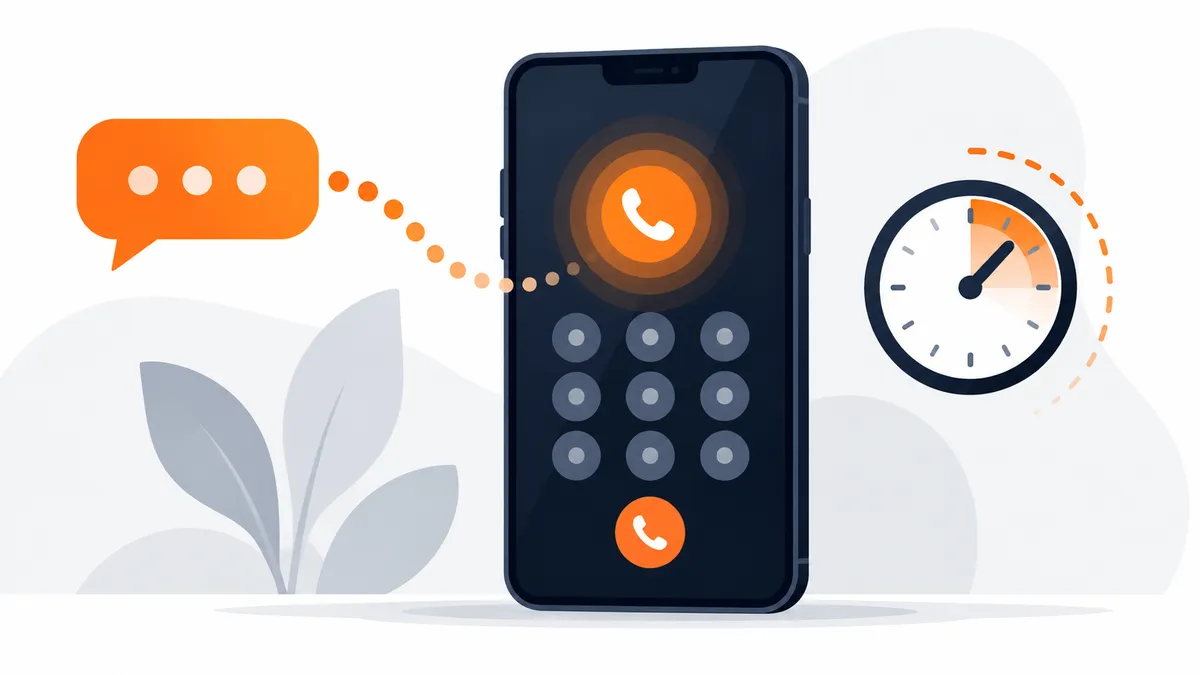
A temporary number is a phone number you use for a short time to receive a text message, usually a verification code. You do not need a SIM card. You pick a number, enter it in an app or website, and read the code that arrives.
People use them for privacy, for testing and for trips. This guide explains how they work, what the different kinds are, and where they are a good choice and where they are not.
What is a temporary phone number?
A temporary phone number is a phone number you use for a short time to receive a text message, usually a verification code. You do not need a SIM card. You pick a number, enter it in an app or website, and read the code that arrives.
A temporary number is not a number you own. It is yours only for the activation, and it closes when the order ends. It is also not a replacement for your real number. Do not use one for accounts where the phone number is a recovery tool and the account holds something valuable, such as banking, payments, or your main email.
How receiving a code works
When you sign up for an app, it sends a code by text to the number you give. A temporary number is one that is set up to receive that text and show it to you, usually on a web page or dashboard.
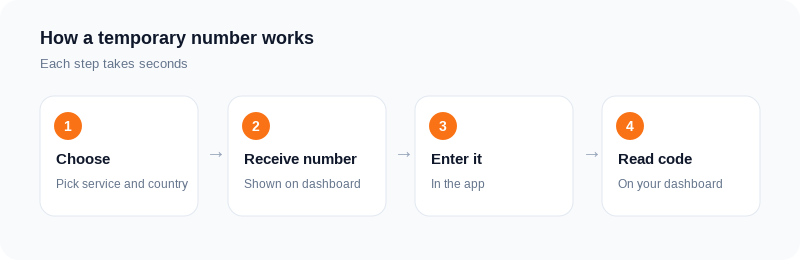
With SMS Activate you choose the service and a country, place the order, and the number appears on your dashboard. You enter it in the app. When the app sends the code, it shows up in your dashboard when it arrives.
How to get a temporary phone number, step by step
1. Pick the app you want to verify. Choose the exact service in the dashboard, for example the app you are signing up for. The number needs to match that service.
2. Pick a country. Pick a country the service expects for that account. Stock changes through the day, so a country that has no numbers now may have some later.
3. Check the live price. Prices depend on the service, the country, and the tier available when you order. Prices are shown in US dollars. The final price is shown in the dashboard before you confirm an order.
4. Place the order. Your wallet is charged when the number is issued. The number then appears on your dashboard. Enter it in the app, with the right country code, and ask for the code. Order only when you are ready to request the code now.
5. Receive the code within the 20-minute activation window. Each one-time activation lasts for 20 minutes from the time of booking. When the app sends the code, it shows up in your dashboard when it arrives. Copy it into the app and finish.
6. If nothing arrives, cancel or wait for the refund. You can cancel an eligible activation after the first 2 minutes, as long as no SMS has arrived and the 20-minute window has not ended. If no SMS arrives inside the window, the charge is refunded to your wallet. The billing section below has the full rules.
Shared inboxes and private activations
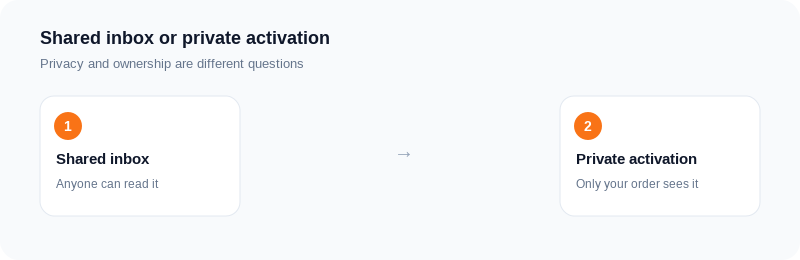
There are two kinds of temporary number, and the difference is who else can read your code. A free shared inbox is a public page where many people can read the same messages. Anyone who visits it can see the code, so it suits only a throwaway test where nothing personal is at stake. A private activation gives the number to one order for a limited time, so only that order sees the code. It is priced per activation in the dashboard. Both kinds are temporary - neither is a number you own - so neither suits an account you must recover later.
When a temporary number makes sense
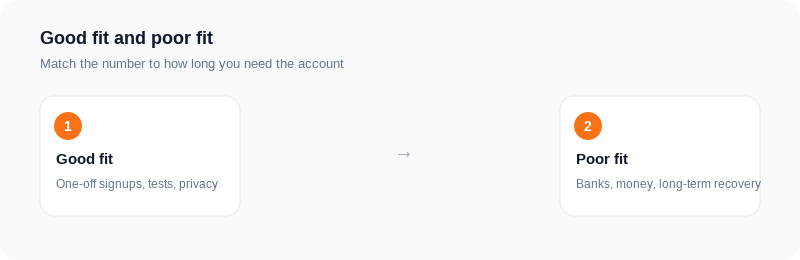
It suits one-off signups, trial accounts, testing a sign-up flow as a developer, and keeping your main number out of marketing lists. It also helps when you are travelling and your home SIM does not receive texts.
It is a good fit whenever you can recreate the account or recover it by email if the number is gone.
When it does not
Do not use one for accounts where the phone number is a recovery tool and the account holds something valuable, such as banking, payments, or your main email. When the rental ends, you lose the number, and so you may lose access.
If a service asks for ID that matches the number, or runs checks that need a real, long-term line, a temporary number will not help.
Limits you should know
Some apps refuse numbers they see as temporary. That decision is theirs, and it can change without notice. No provider can promise that every app will accept every number.
Also keep in mind that stock changes through the day. A country that has no numbers now may have some later. If a number is refused, try another number or another country.
How billing works for standard activations
With SMS Activate, your wallet is charged when the number is issued. If no SMS arrives inside the 20-minute window, the charge is refunded to your wallet. You can cancel after two minutes if nothing has arrived. Rental, email and API Link orders have their own rules, shown in the dashboard.
A simple checklist
Pick a country the service expects for that account, and enter the number with its country code. Decide how long you need the account. Add a recovery email. Pick a country the service works in. Request the code once. If it fails, change one thing at a time: the number, then the country.
A realistic walkthrough
Suppose you want to try a new app and do not want your main number on its list. You open the dashboard, find the service, and pick a country. You place the order and the number appears. You type it into the app, with the right country code, and ask for the code.
The SMS shows up on the order page after a short wait. You copy it into the app and finish. If you plan to use the account again, add a recovery email straight away. If nothing arrives, the order runs to the end of its window and the charge is refunded for a standard activation.
That is the whole loop. It works best when you treat the number as a tool for one step, not as a phone line.
Choosing between a shared inbox and a private activation
A shared inbox is open to anyone who visits the page, so every message there is public. That is fine for a throwaway test where nothing private is at stake, but it is a poor fit for an account with personal details, a payment method or messages you care about.
A private activation gives the number to you for the length of the order, so only your order sees the code. For anything you will log into again, that difference matters. Read what each option promises before you start.
Mistakes that waste time
The common ones are simple. Choosing the wrong service, so the number belongs to a different brand than the one you are signing up for. Typing the number without the country code. Ordering before you are ready, so the window runs while you are still filling in a form. And using a rented number for an account you cannot afford to lose.
Each of these is easy to avoid with a short pause before you press buy.
Questions to ask yourself before you order
Is this account one I need next month? If yes, use a number you keep. Does the service accept numbers from this country? If you are not sure, read the service rules first. Am I ready to request the code now? Order only when you are.
Do I know what I will do if the SMS never comes? For a standard activation, the order ends and the charge is refunded, and you can try another number. Having that plan removes the stress.
Taking half a minute for these questions prevents most of the wasted orders.
Frequently asked questions
Is a temporary number the same as a free inbox?
No. A free shared inbox can be read by anyone. A private activation is tied to one order.
Can I keep the number?
No. It is yours only for the activation.
Will every app accept it?
No. Each service decides which numbers it accepts.
What if no code arrives?
A standard activation with no SMS in 20 minutes is refunded to your wallet.
Can I reuse the same temporary number later?
Do not count on it. A standard activation is for one verification. If you need long-term access to an account, use a number you keep.
Is a temporary number the same as a free inbox?
No. A free shared inbox is public. A private activation is assigned to your order for its window.
Ready to try it?
Open the dashboard to see the price for your service and country before you order.
Open the dashboardKeep reading
Related services
 Telegram verificationCreate a Telegram account without exposing your personal phone number.
 WhatsApp verificationVerify WhatsApp with a private second number instead of your everyday SIM.
 Google / Gmail / YouTube verificationVerify a new Google account, Gmail address, or YouTube channel without your main number.